

<
How to use the All in one WP Migration plugin for WordPress?
Neerav Mehta
Founder & CEO
Exporting your website:
-
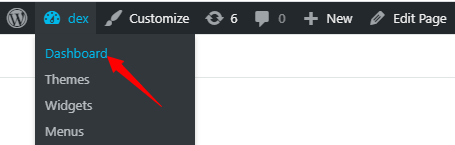
Open the Dashboard from the top left on your website.
-
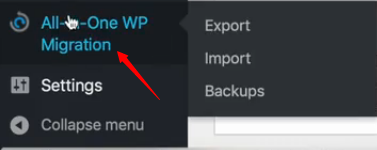
On the left side click on All-in-One WP Migration.
-
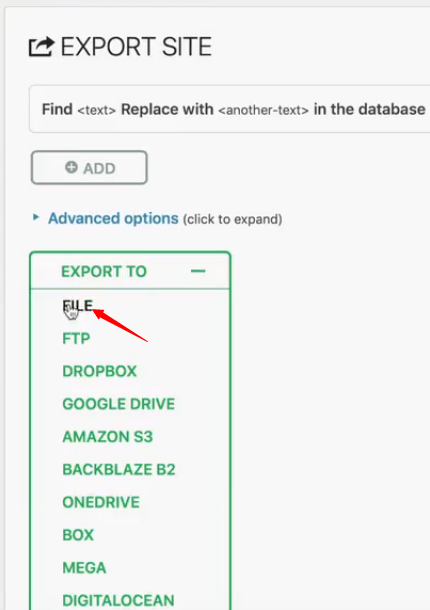
Below Export Site, click on Export To. A drop-down list will appear. Next click on File. The other export options require a payment.
-
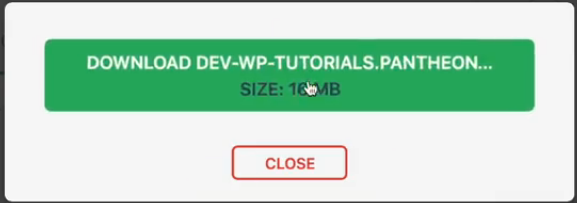
Now you can click on the download button to download your file.
Importing your website:
-
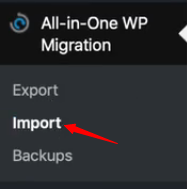
Hover your cursor above All-in-One WP Migration and click on Import.
-
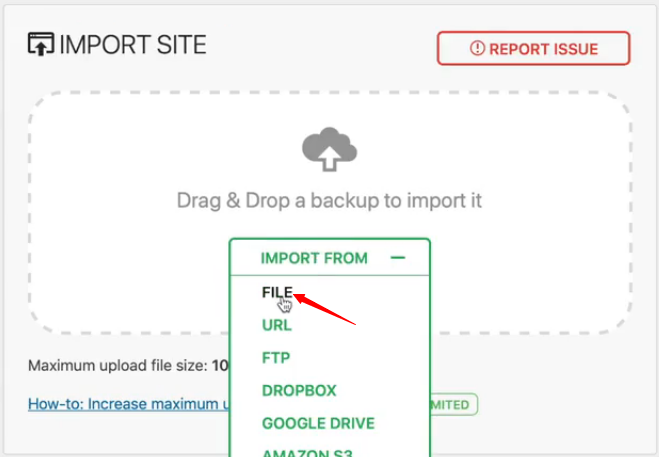
Next click on Import From, and then click on File. Windows explorer will open up. Locate and open the file that you previously saved.
-
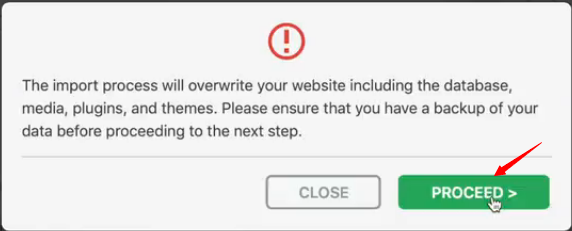
After the file opens, you will be prompted by a message. Click on Proceed.
-
That’s it you’re done. The website has been imported successfully.
Creating Backup of your website:
-
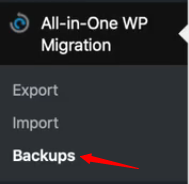
Hover the cursor above All-in-One WP Migration and click on Backups.
-
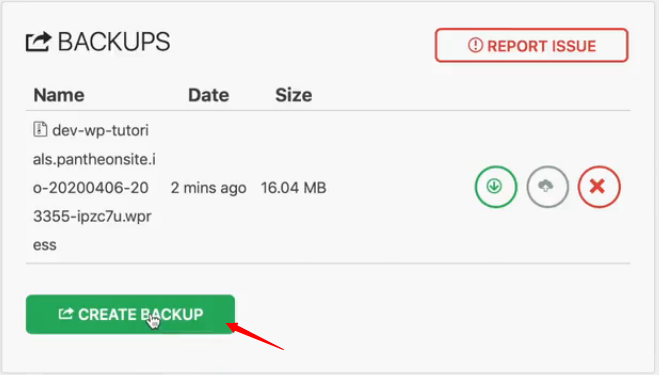
Next click on Create Backup. This creates a backup on the server itself, which you can also download.
-
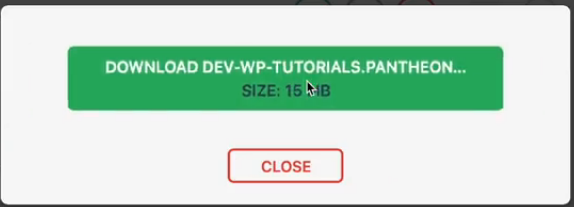
You can download the backup by clicking on Download.
-
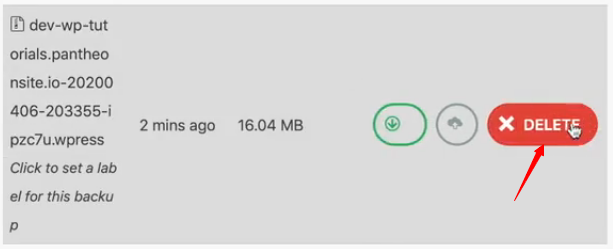
You can also delete the backup by clicking on Delete.

Neerav Mehta
Founder & CEO
Neerav Mehta is the Founder & CEO of Red Crackle. With sterling qualities, Neerav’s technological acumen is firing a generation of progressive companies on the digital path. With an undergraduate degree in Electrical Engineering from India's most prestigious institution IIT Bombay and having spent seven years developing and contributing to the launch of AMD's innovative line of computer products, Neerav founded Red Crackle where he is lauded for his dynamic and innovative genius.



Let’s get you started!