

<
Blog post
How to backup and restore entire Drupal site?
Neerav Mehta
Founder & CEO
In this article, you will be learning how to create a backup of your entire Drupal site and then how to restore it.
The only pre-requisite for this is that you must have admin rights.
First, we need to install the Backup and Migration module.
Installing Backup and Migration Module
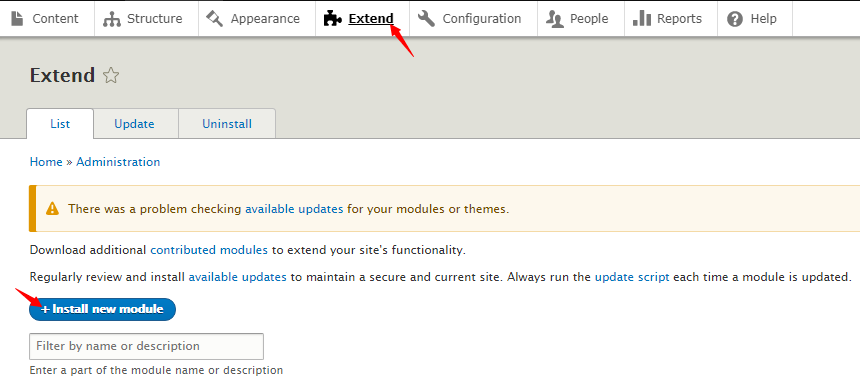
- Start by clicking on Extend and then on + Install new module.
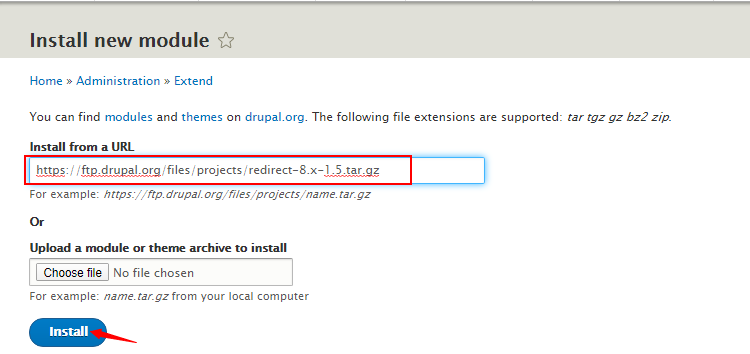
- Paste this URL in the box: https://ftp.drupal.org/files/projects/backup_migrate-8.x-4.1.tar.gz Proceed by clicking on Install.
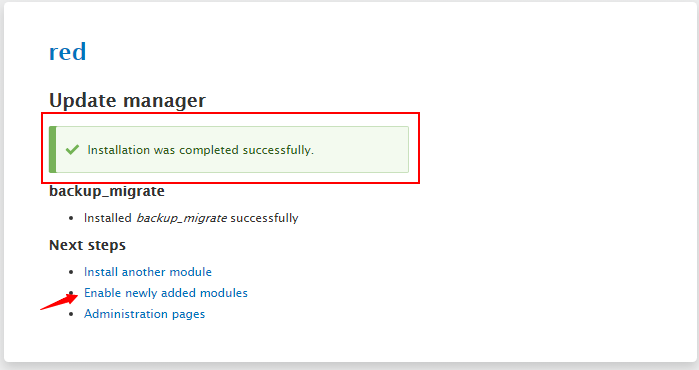
- After the module installs you will see this message. Proceed by clicking on Enable newly added modules.
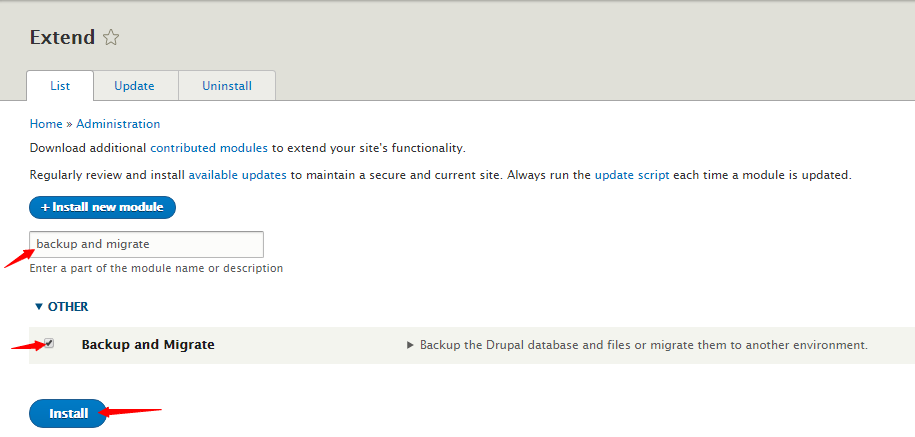
- Search for backup and migrate in the search box. Check the box beside Backup and Migrate and click on Install.
- You will have successfully installed the Backup and Migrate module.
Backing up entire Drupal Site
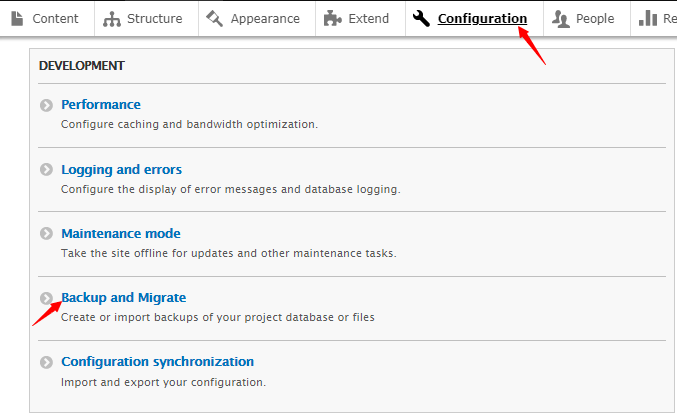
- Click on Configuration and proceed by clicking on Backup and Migrate below Development.
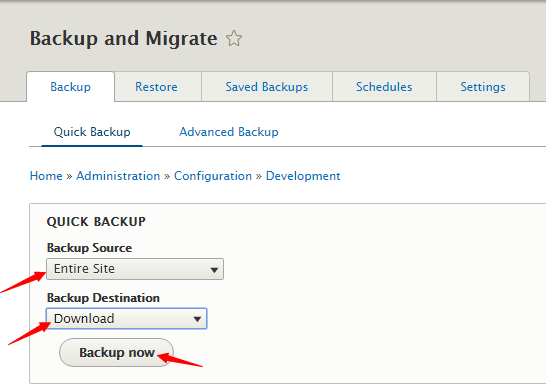
- Under the Backup tab, select Entire Site under Backup Source, and select Download under Backup Destination. Finally, click on Backup now.
- Your backup will be located in the Download folder.

Restoring entire Drupal Site
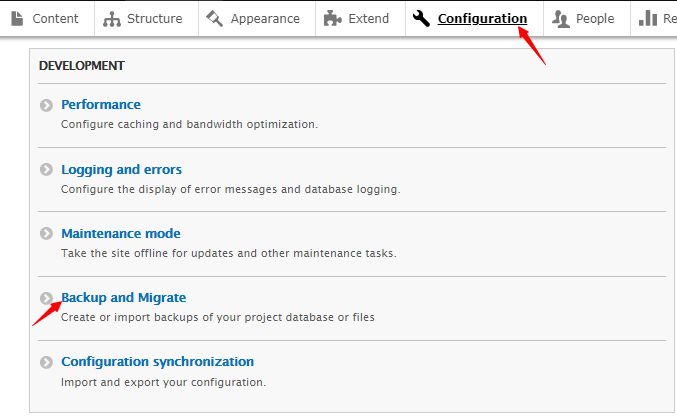
- Click on Configuration and proceed by clicking on Backup and Migrate below Development.
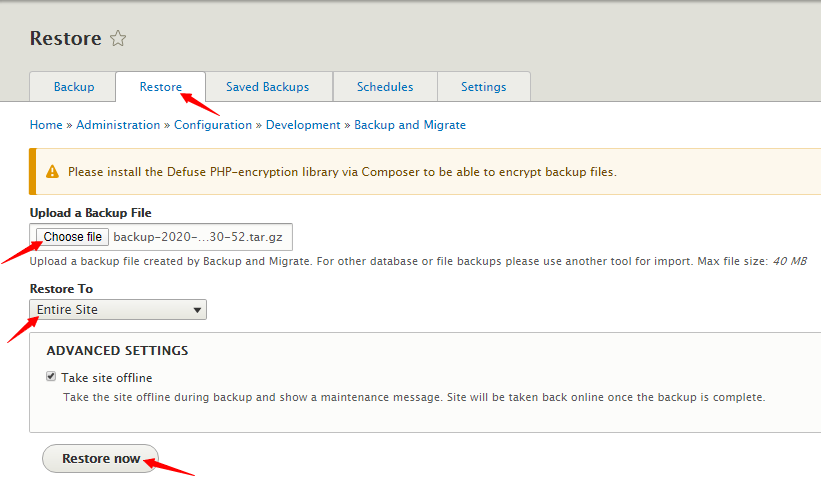
- Click on the Restore tab, and select Entire Site under Restore To. Click on Choose file and select your backup file, tick the Take site offline option and proceed by clicking on Restore now.
- After restoring, you will see this message.


Neerav Mehta
Founder & CEO
Neerav Mehta is the Founder & CEO of Red Crackle. With sterling qualities, Neerav’s technological acumen is firing a generation of progressive companies on the digital path. With an undergraduate degree in Electrical Engineering from India's most prestigious institution IIT Bombay and having spent seven years developing and contributing to the launch of AMD's innovative line of computer products, Neerav founded Red Crackle where he is lauded for his dynamic and innovative genius.



Let’s get you started!