

<
How to set up Google Analytics on WordPress?
Neerav Mehta
Founder & CEO
In this article you will be learning how to install Google Analytics on your WordPress website.
The only pre-requisite is that you must be signed up with Google Analytics before proceed to install it on your site.
Setting up Google Analytics
-
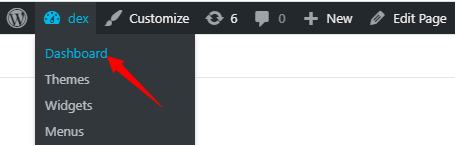
Open the Dashboard from the top left on your website.
-
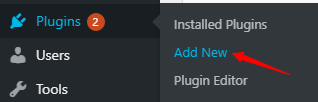
On the left sidebar scroll down, hover above Plugins, and click on Add New.
-
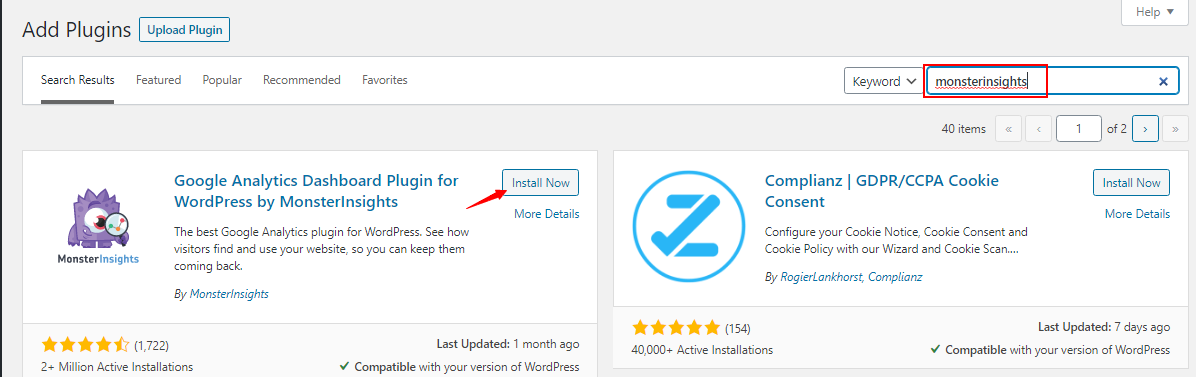
Search for monsterinsights, and install the first result, by clicking on Install Now.
-
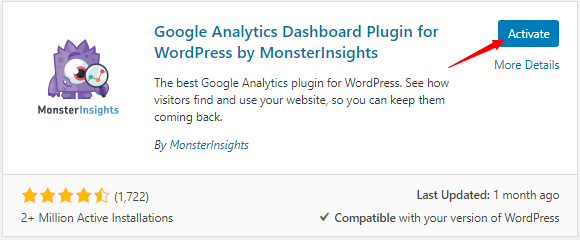
Next, click on Activate.
-
You will be taken to the setup wizard, proceed by clicking on Launch the Wizard!

-
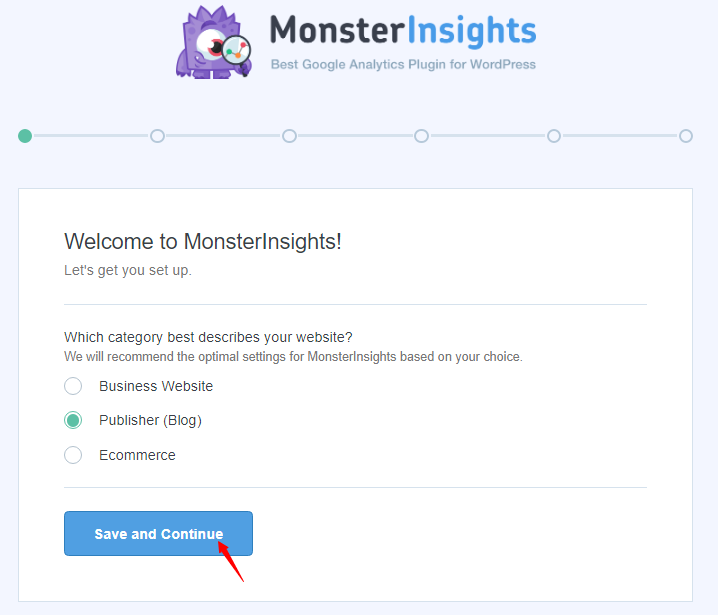
Select the category of your WordPress site and click on Save and Continue.
-
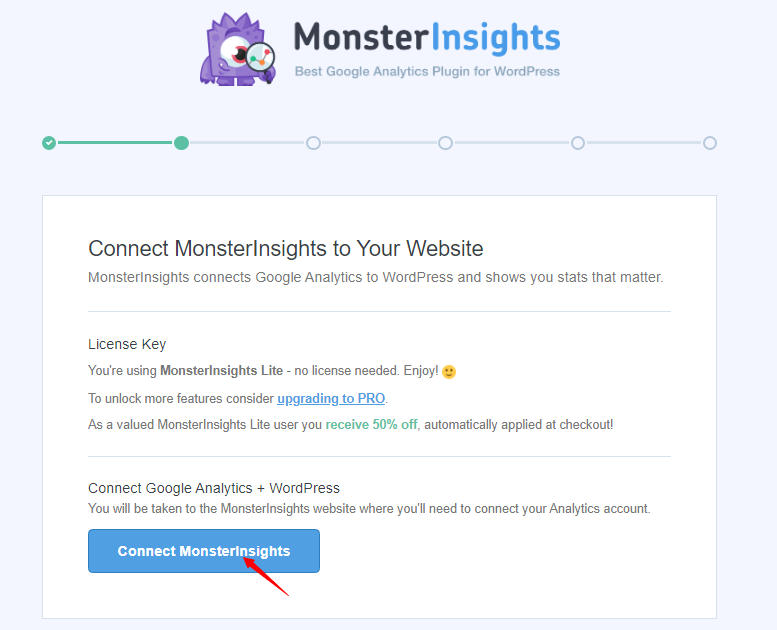
Proceed by clicking on Connect MonsterInsights.
-
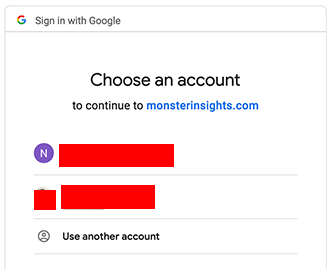
Next, you will need to select your Google account associated with Google Analytics.
-
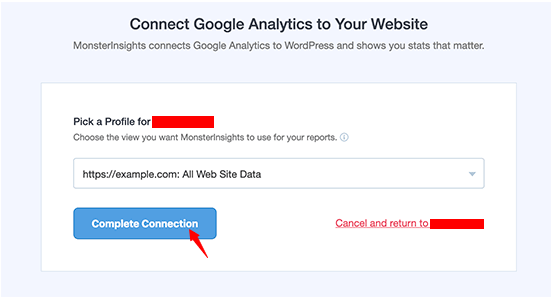
Lastly, pick the profile you wish to track and click on Complete Connection.
-
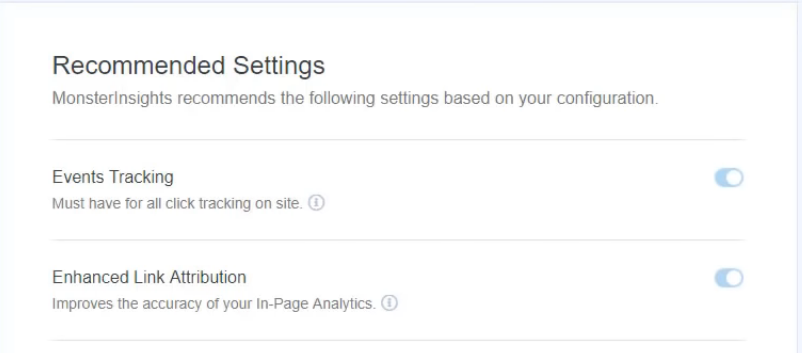
Google Analytics will be installed and you will be directed to the Recommended Settings.
-
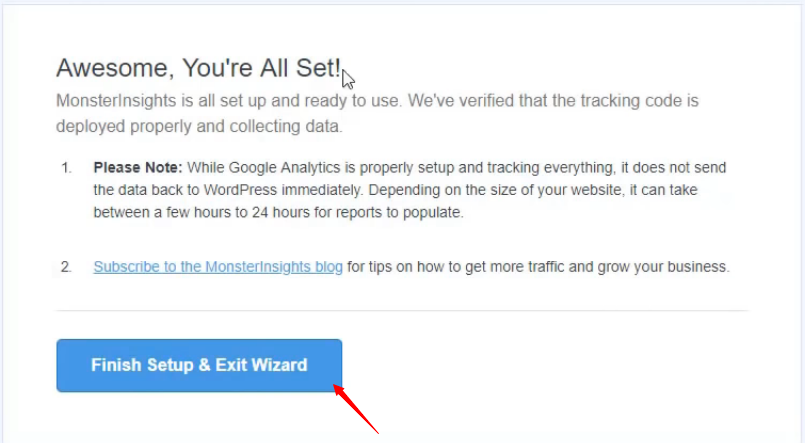
In the end, click on Finish Setup & Exit Wizard.
-
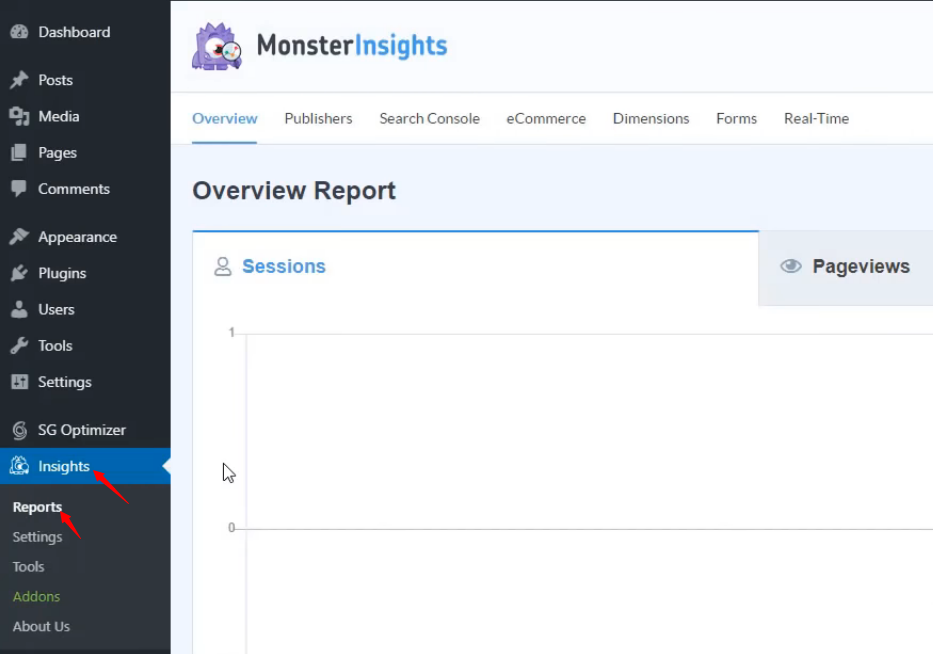
You can access the summary of your analytical data by clicking on Reports under Insights.

Neerav Mehta
Founder & CEO
Neerav Mehta is the Founder & CEO of Red Crackle. With sterling qualities, Neerav’s technological acumen is firing a generation of progressive companies on the digital path. With an undergraduate degree in Electrical Engineering from India's most prestigious institution IIT Bombay and having spent seven years developing and contributing to the launch of AMD's innovative line of computer products, Neerav founded Red Crackle where he is lauded for his dynamic and innovative genius.



Let’s get you started!