

<
Using Views Exposed Filter In Drupal 8
Neerav Mehta
Founder & CEO
Introduction
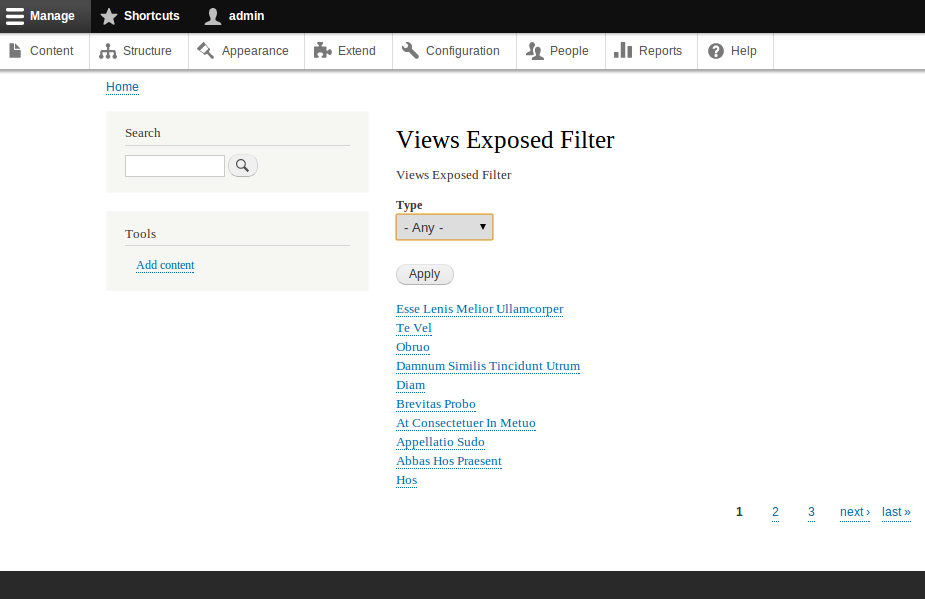
The Views Exposed Filter functionality helps users select or filter data on the display. In our example, we are going to cover the basic steps involved to use the Views Exposed Filter. Here, we are going to create a views display with content titles by setting an exposed filter for the content types. The resulting display will look similar to the one below:
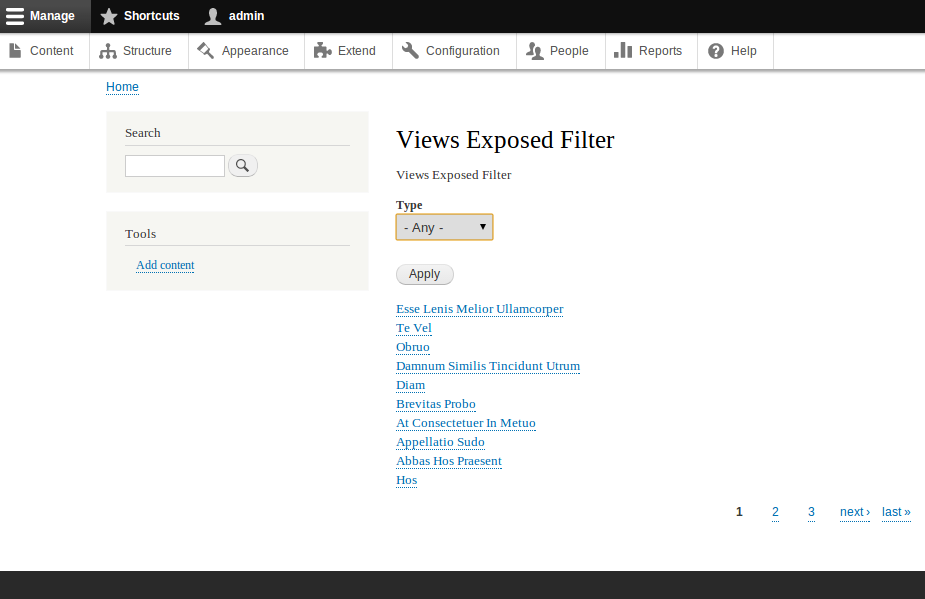
For achieving this, we need to do the following steps.
- Create a View
Click "Structure" [Manage >> Structure] on the administration menu or go to the path "admin/structure".
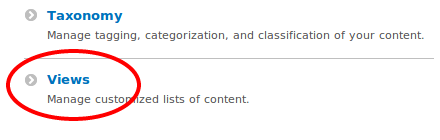
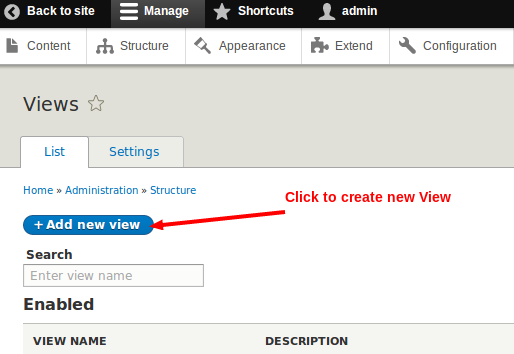
Click "Add new view" or go to the path "admin/structure/views/add".
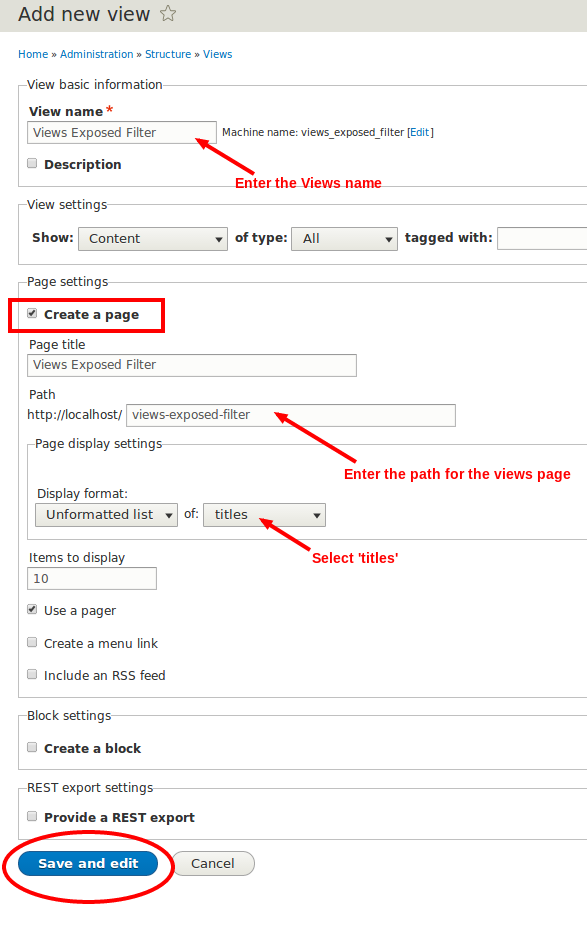
In the new form, type in Views Exposed Filter in the "Views name" field. Tick the box against the "Create a page" field.
Provide a value to the "Path" field. Here we are providing the path views-exposed-filter.
Under "Display format", select Unformatted list and titles from the dropdowns. Click "Save and edit". Refer the following picture for more details.
- Add the filter field to be exposed
In the Views Display settings page, click "Add" in the "FILTER CRITERIA" section.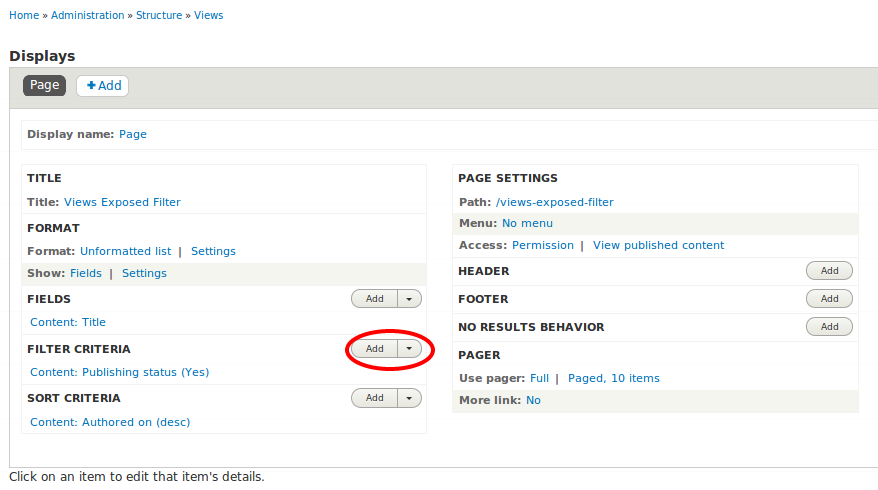
You will get a configuration page similar to the one shown below:
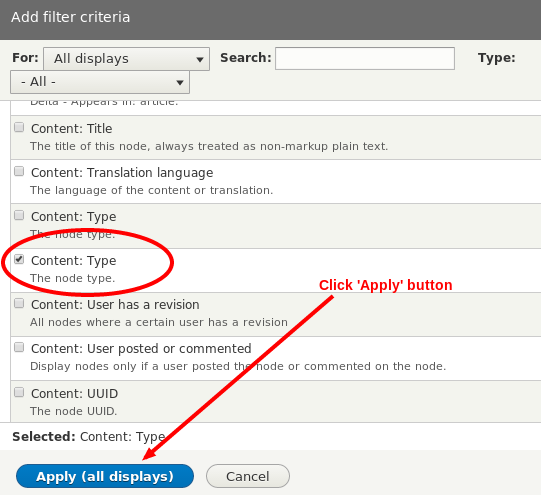
Scroll down and select "Content: Type". Click "Apply (all displays)". You will get the "Configure filter criterion: Content: Type" box as shown below:
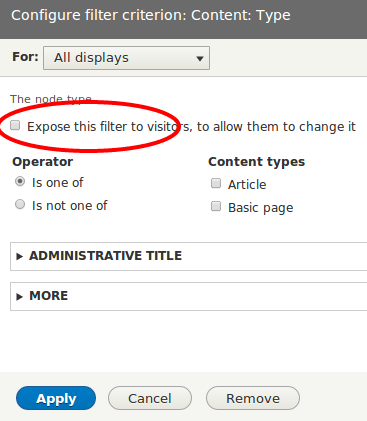
Tick the box against "Expose this filter to visitors, to allow them to change it" and click "Apply". Save the view and go to the path earlier defined by you (views-exposed-filter). Your display will be similar to the one below:

Neerav Mehta
Founder & CEO
Neerav Mehta is the Founder & CEO of Red Crackle. With sterling qualities, Neerav’s technological acumen is firing a generation of progressive companies on the digital path. With an undergraduate degree in Electrical Engineering from India's most prestigious institution IIT Bombay and having spent seven years developing and contributing to the launch of AMD's innovative line of computer products, Neerav founded Red Crackle where he is lauded for his dynamic and innovative genius.


Let’s get you started!