

<
Express checkout to increase conversion
Neerav Mehta
Founder & CEO
This is tutorial #7 in the Drupal Commerce tutorial series. In the previous article, you learned how to modify checkout flow on your Drupal Commerce site to collect more information.
In this article, you will learn how to enable Express Checkout to increase conversions on your site. It's a fairly simple procedure that allows the shopper to proceed directly to the checkout without visiting the Cart. This saves time and ensures that you are able to win the shopper's business quicker.
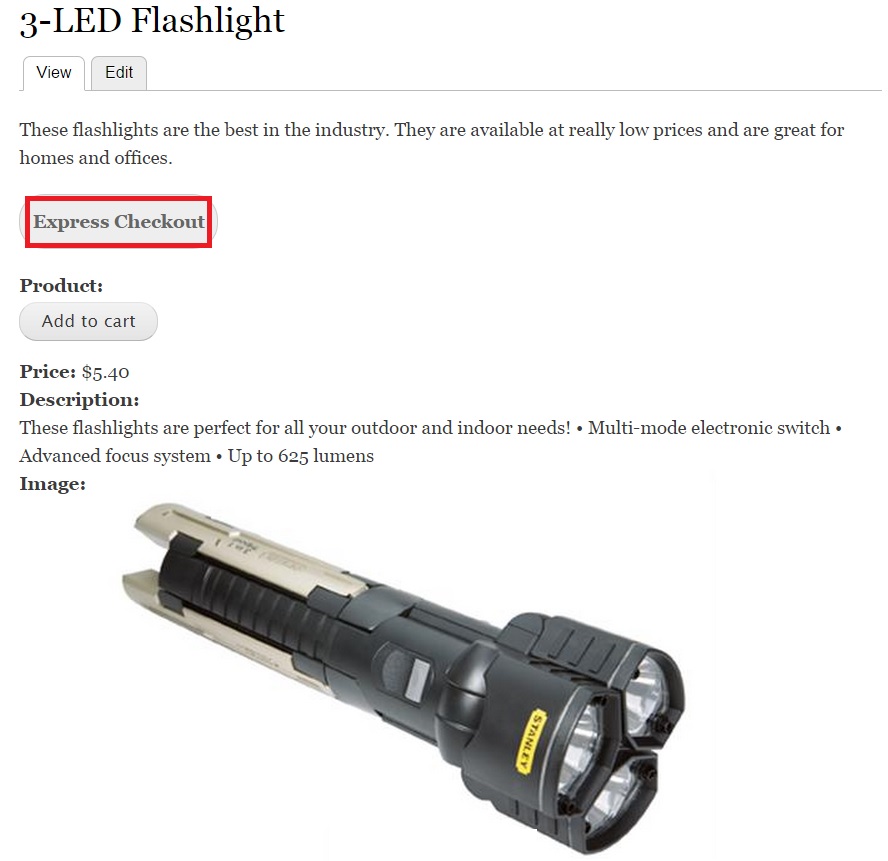
Here is how the Express Checkout button will look after I am done configuring it:
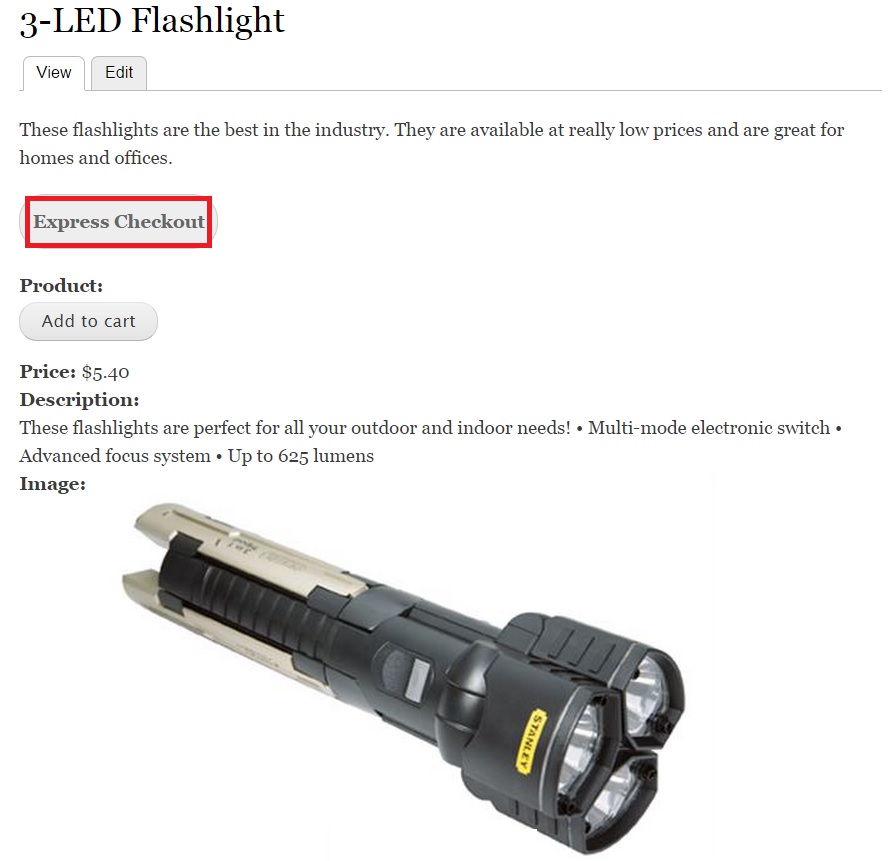
To get started, you will have to download and unzip the “Commerce Express Checkout” module. Visit the following link to access the module:
You can enable the module by clicking “Modules” on the top-level menu:

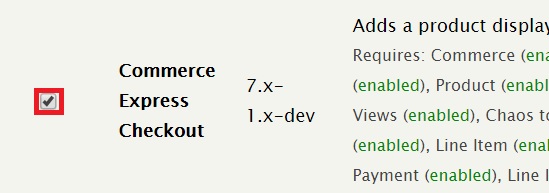
Search for “Commerce Express Checkout” and enable it:
Click “Save configuration”:
Let’s now configure an Express Checkout button. Go to the following path:
- admin/commerce/products/express-checkout-links
You will notice a “Select Product” dropdown at the top of the page. It allows you to select a product of your choice to associate the Express Checkout button with. I chose the product 3-LED Flashlight. Click “Generate Code”. A code will be generated in the dialog box below as shown in the screenshot:
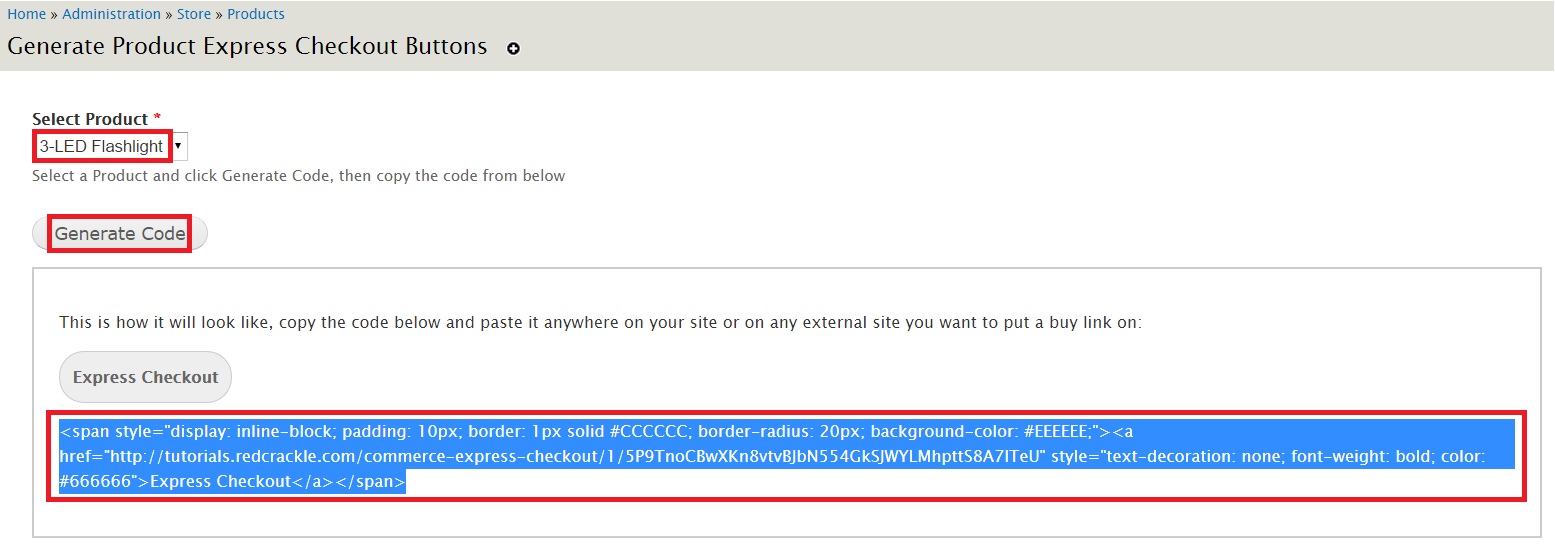
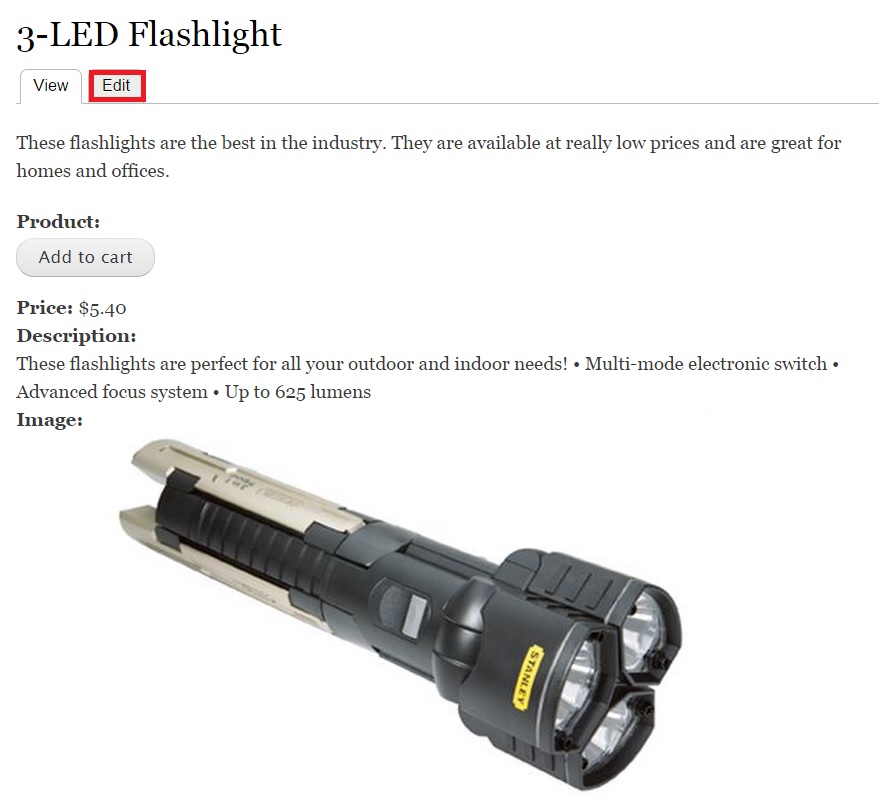
You will have to add this code to any page on your site. I am going to add it to the 3-LED Flashlight product page. Copy the code to a notepad. Go to your product’s page and click “Edit” as shown below:
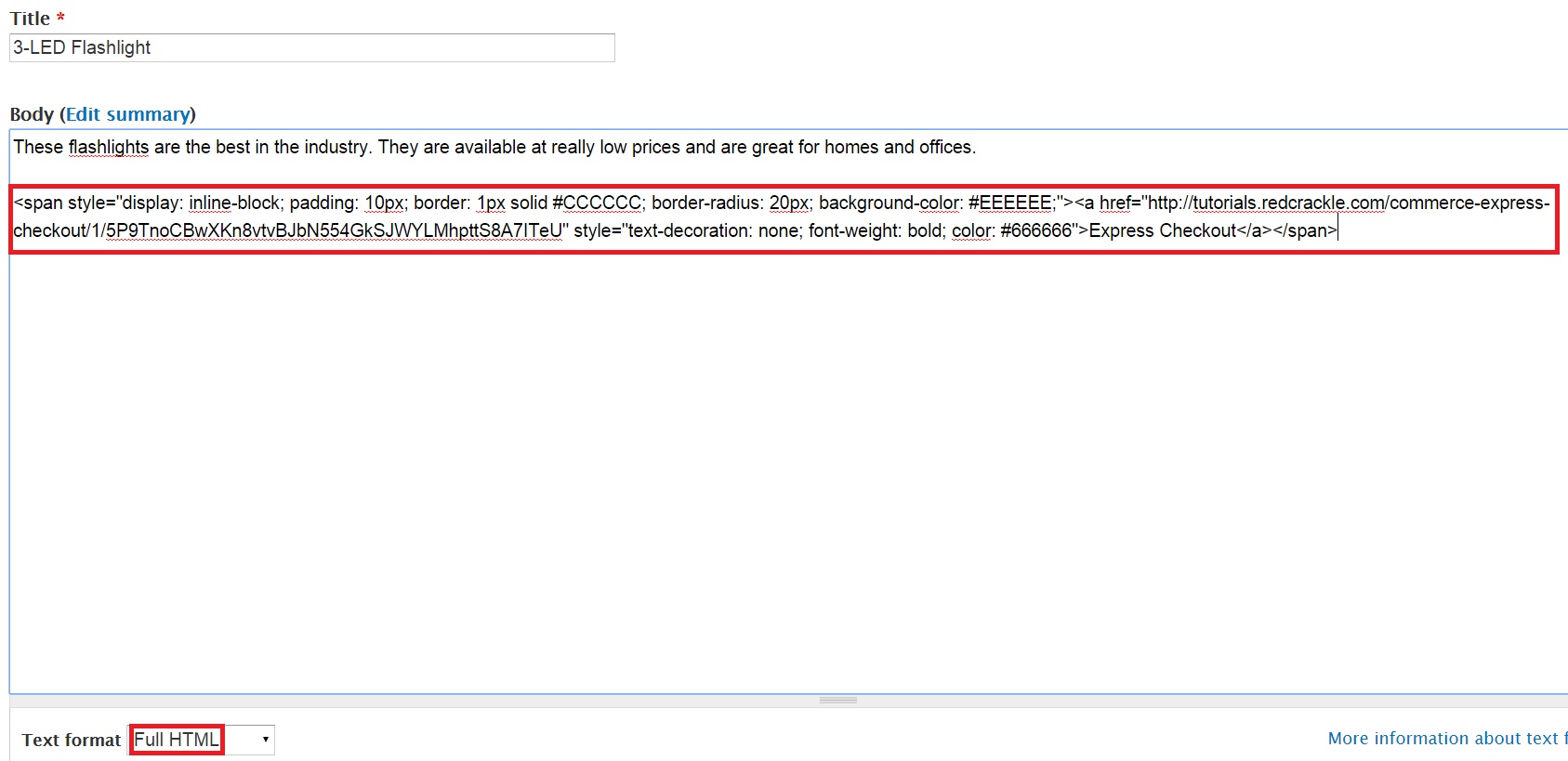
In the Edit page, paste the code in the Body. Make sure the dropdown for Text format is set to “Full HTML”:
Click “Save” at the bottom of the page:

Head over to the product you wish to purchase. You will notice an “Express Checkout” button like in the screenshot below:
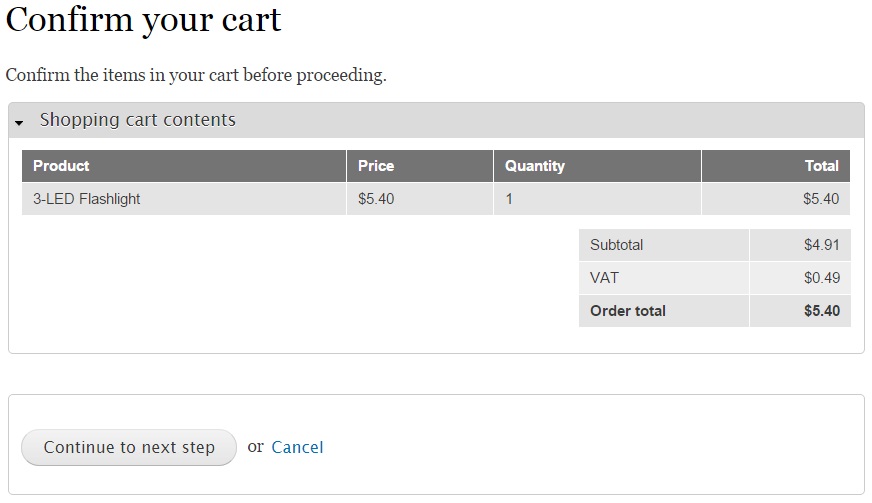
Click “Express Checkout” and you will be taken directly to the checkout screen as shown in the screenshot below:

Neerav Mehta
Founder & CEO
Neerav Mehta is the Founder & CEO of Red Crackle. With sterling qualities, Neerav’s technological acumen is firing a generation of progressive companies on the digital path. With an undergraduate degree in Electrical Engineering from India's most prestigious institution IIT Bombay and having spent seven years developing and contributing to the launch of AMD's innovative line of computer products, Neerav founded Red Crackle where he is lauded for his dynamic and innovative genius.



Let’s get you started!